If you are buying a laptop for coding in the ₹60,000 price range, choose one that runs very smoothly—not just functioning, but working swiftly and responding instantly to every command. That is why I have selected these five laptops; they don’t just run, they execute tasks rapidly in response to your commands, offering an excellent combination of features.
These laptops will not only deliver excellent performance but also feature great displays, reliable battery backup, and robust build quality, which enhances their durability. Furthermore, all five laptops have received positive ratings from users who have already purchased and used them.
We will compare their key specifications, performance, and pros and cons so that you can easily understand which laptop is best for tasks like coding, data analysis, and data science.
If ₹60,000 is slightly above your budget, you can also consider some of the best coding laptops under ₹50,000. These laptops offer good performance for coding and programming at a lower price.
Comparison of Laptops Priced Under ₹60,000 Based on Usage
| Laptop Name | Coding | Android Dev | Software Dev | Data Analysis | Multitasking | Overall |
|---|---|---|---|---|---|---|
| Acer Aspire Lite i5-12450H | ⭐⭐⭐⭐⭐ | ⭐⭐⭐⭐⭐ | ⭐⭐⭐⭐⭐ | ⭐⭐⭐⭐½ | ⭐⭐⭐⭐⭐ | Best Performance |
| Lenovo 14 i5-13420H | ⭐⭐⭐⭐⭐ | ⭐⭐⭐⭐⭐ | ⭐⭐⭐⭐⭐ | ⭐⭐⭐⭐½ | ⭐⭐⭐⭐ | Best Portable |
| Dell 15 Ryzen 7 7730U | ⭐⭐⭐⭐½ | ⭐⭐⭐⭐ | ⭐⭐⭐⭐½ | ⭐⭐⭐⭐⭐ | ⭐⭐⭐⭐⭐ | Best Multitasking |
| Lenovo V15 G4 Ryzen 5 7520U | ⭐⭐⭐ | ⭐⭐½ | ⭐⭐⭐ | ⭐⭐⭐ | ⭐⭐⭐ | Basic Coding |
| HP 15 Ryzen 5 7520U | ⭐⭐⭐ | ⭐⭐½ | ⭐⭐⭐ | ⭐⭐⭐ | ⭐⭐⭐ | Students/Office |
Note: The ratings in this table are based on the overall suitability of each laptop for different programming and productivity tasks. Acer Aspire Lite i5-12450H is the strongest option for coding and Android development, while the Lenovo 14 i5-13420H and Dell 15 Ryzen 7 7730U is a better choice for data analysis and multitasking. The Lenovo V15 G4 Ryzen 7520U and HP 15 Ryzen 5 7520U are more suitable for basic coding, everyday tasks, and students.
If you are a BCA student looking to buy a laptop that meets your requirements, you can check out these top laptops for BCA students; they are a great fit in terms of both budget and performance.
Comparison Table of Coding Laptops Under ₹60,000 Based on Specifications
| Product Name | Processor | Display | RAM | Storage |
|---|---|---|---|---|
| Acer Aspire Lite i5-12450H | Intel Core i5-12450H | 15.6-inch IPS FHD | 16GB | 512GB SSD |
| Lenovo 14 i5-13420H | Intel Core i5-12420H | 14-inch FHD | 8GB | 512GB SSD |
| Dell 15 Ryzen 7 7730U | AMD Ryzen 7 7730U | 15.6-inch IPS FHD | 16GB | 512GB SSD |
| Lenovo V15 G4 Ryzen 5 7520U | AMD Ryzen 5 7520U | 15.6-inch FHD | 16GB | 512GB SSD |
| HP 15 Ryzen 5 7520U | AMD Ryzen 5 7520U | 15.6-inch FHD | 16GB | 512GB SSD |
If your budget is even lower, you can also explore some of the best coding laptops under ₹40,000 that are suitable for coding and programming.
Things to consider when buying a laptop for programming under ₹60,000
Processor
For coding, you should prioritize an Intel Core i5 12th Gen (or newer) or AMD Ryzen 5 5000 Series (or newer) processor. If you plan to do Android development or other resource-intensive tasks, opt for a laptop with an ‘H-series’ processor, as they offer better performance than ‘U-series’ processors.
RAM
16GB of RAM is ideal for programming. If you are doing basic coding, 8GB might suffice, but 16GB is better for Android development and multitasking.
Storage
Storage is also important, as the processor, RAM, and storage are the key components that determine a laptop’s performance. Therefore, choose a laptop with at least a 512GB Gen 4 SSD to ensure good file loading speeds.
Display Quality
Prioritize a Full HD IPS display for coding. It renders text clearly and offers a better viewing experience during long coding sessions; however, within this budget, you will mostly find FHD displays.
Battery Backup
Choose a laptop with good battery life, especially if you use it for college, work, or travel. Therefore, opt for a laptop that offers at least 4 hours of battery backup.
Keyboard Quality
Programmers have to do a lot of typing while coding, which increases the likelihood of the keyboard wearing out or malfunctioning; therefore, you should choose a laptop with a high-quality keyboard.
Additionally, if you often work at night, you might want to prioritise a backlit keyboard, as it allows you to use the laptop with the room lights turned off and enhances the device’s overall look.
Build Quality
A laptop’s build quality is paramount. If the build quality is poor, it won’t last long, and you will soon have to buy a new one. Therefore, purchase a laptop with good build quality so that it can easily last for at least 4 to 5 years.
Upgradeability
If possible, choose a laptop that offers the option to upgrade the RAM or SSD. This allows you to enhance the laptop’s performance through future upgrades.
Keeping these 9 factors in mind, I have selected 5 laptops for software development under ₹60,000 for you; you can view them by scrolling down.
If you have a very tight budget but are looking for a coding laptop in the ₹30,000 range, you can consider these budget-friendly options.
List of 5 Best Coding Laptop Under 60000 in India
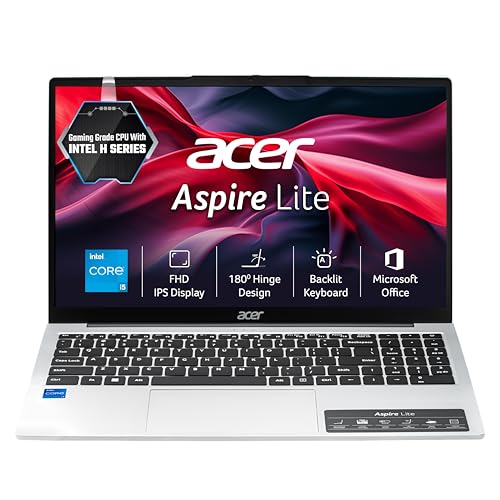
- 15.6 inch FHD IPS Display
- Intel Core i5-12450H Processor
- 16GB RAM
- 512GB SSD
- Intel UHD Graphics
The Acer Aspire Lite is powered by the 12th Gen Intel Core i5-12450H H-series processor. Customers on Amazon have provided highly positive feedback regarding the processor’s performance; many users have noted that the laptop remains fast, smooth, and responsive during regular use. Consequently, the processor delivers strong performance for tasks such as coding, programming, browsing with multiple Chrome tabs open, using MS Office, and multitasking across various applications.
It features 16GB of RAM and a 512GB SSD, which is a major highlight of the device. The laptop comes with a 15.6-inch Full HD IPS display; customers have praised the display’s sharpness, color quality, and viewing experience, making it excellent for tasks involving coding, spreadsheets, and documentation.
Its 1.7 kg design makes it reasonably portable. However, user reviews regarding build quality are mixed; some users praised the metallic top lid and design, while others described the lower body and hinges as average.
Battery backup is not its strongest point. Customer feedback varies significantly; some users have reported around 4–6 hours or more of backup with normal usage, while others experienced shorter battery life. The actual backup time will depend on brightness, workload, and power settings.
This model features a backlit keyboard, which is very useful for typing in low-light conditions or at night. It is a great addition for users involved in programming, writing, or working late hours.
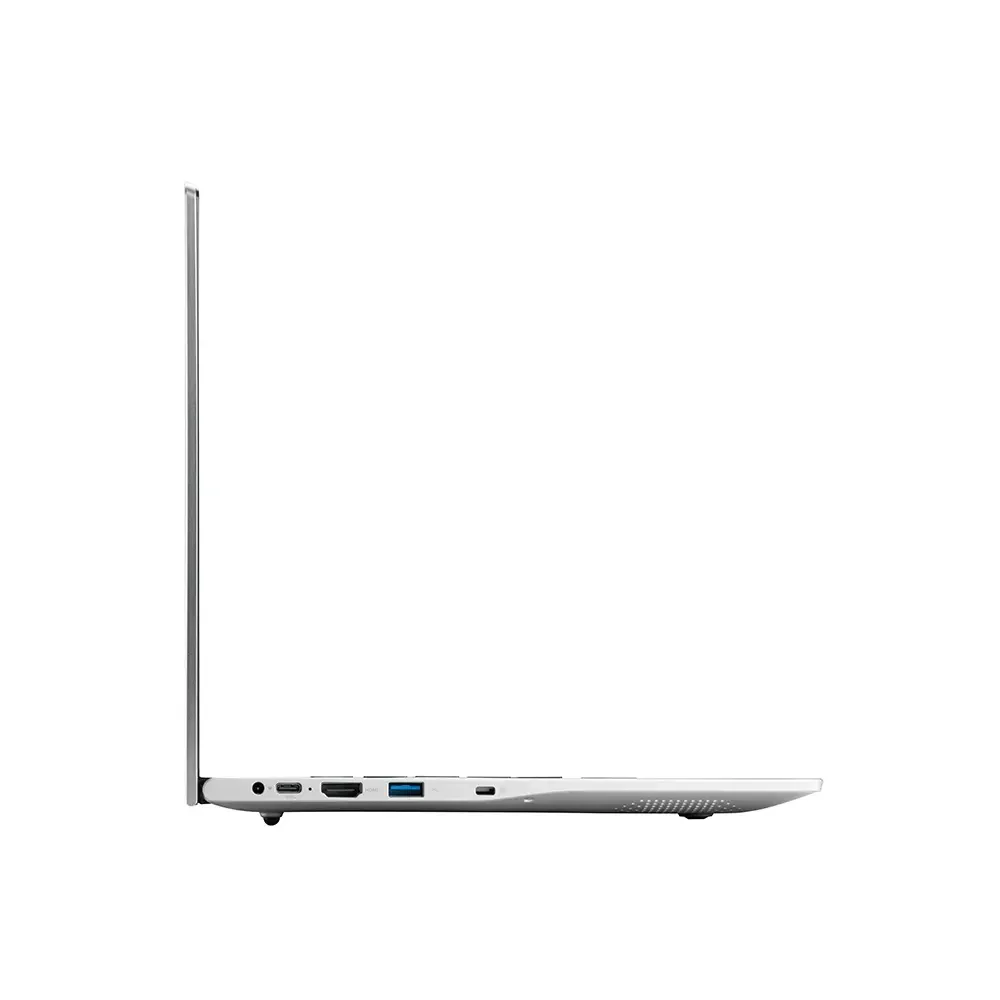
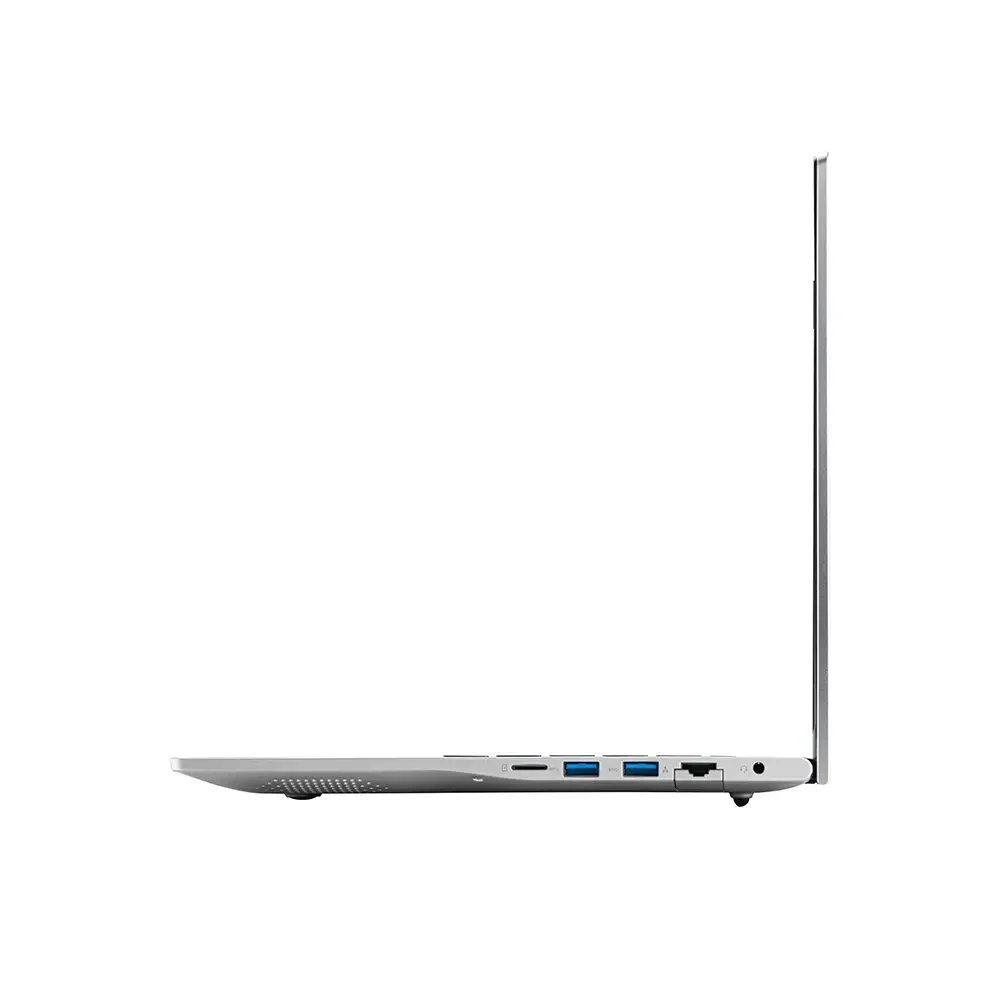
Additionally, the Acer Aspire Lite comes with MS Office and offers the necessary connectivity options for daily tasks and external devices. It includes three USB 3.2 Gen 1 Type-A ports, one USB Type-C port, an HDMI port, and a headphone/microphone jack, allowing you to easily connect external monitors, USB devices, storage drives, and other accessories.
However, it is worth noting that it does not come with a dedicated high-end GPU. Therefore, this laptop is not ideal for heavy AI/ML model training, advanced 3D rendering, professional GPU-based video editing, or other GPU-intensive workloads. For such tasks, a laptop with a dedicated graphics card would be a better choice.
Specifications |
|
|---|---|
| Brand | Acer |
| Display Size | 15.6-inch |
| Screen Resolution | (1920 x 1080) Pixel |
| Screen Type | FHD IPS display, 250 nits, NTSC 45%, |
| Processor | Intel Core i5-12450H |
| Processor Speed | 4.4 GHz (Boost Speed), 8 Cores, 4 Threads |
| RAM Size | 16GB DDR5 |
| Storage | 512GB SSD (Expandable up to 1TB) |
| Graphics | Integrated Intel UHD graphics |
| Special Feature | Backlit Keyboard, Ms Office |
| OS | Windows 11 Home |
| Battery Life | 6 Hours |
| Weight | 1.7 Kg |
| Warranty | 1 Year |
Why Should It You Buy
The primary reasons to buy this laptop are its 12th Gen Intel Core i5 H-Series processor, 16GB DDR5 RAM, 512GB SSD, and Full HD IPS display—all of which are its key strengths. With this configuration, you can easily handle tasks such as data analysis, Android development, and web development. Additionally, it is a great option for office work; priced at around ₹60,000, it comes with MS Office pre-installed, making it even more useful for office-related and productivity tasks.
Best For This Laptop
If you are looking for the best Asus laptops under ₹40,000, you can check out these models.
- 14 inch FHD Display
- Intel Core i5-13450H Processor
- 8GB RAM
- 512GB SSD
- Intel UHD Graphics
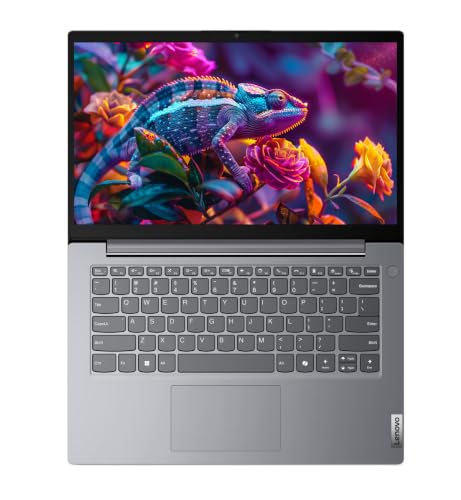
If you assume that a compact laptop implies lower performance, the Lenovo 14 (2026) might just change your mind. Weighing only 1.4 kg, this laptop is powered by a 13th Gen Intel Core i5-13420H H-Series processor, offering a blend of portability and impressive processing power.
The processor in this laptop has a Turbo Boost speed of up to 4.6 GHz and features 8 cores. Consequently, it delivers excellent performance for tasks such as coding, programming, office work, browsing, and multitasking.
It comes with 8GB of DDR5 5600MHz RAM and a 512GB PCIe NVMe SSD. The good thing is that the RAM can be upgraded to 32GB and the storage to 1TB, so the option to upgrade the laptop exists should the need arise in the future.
Its 14-inch Full HD anti-glare display is another strong point. Its compact size makes the laptop easy to carry, while the Full HD resolution offers a sharp viewing experience for coding, documentation, browsing, and video meetings.
Windows 11 Pro and Microsoft Office 2024 come pre-installed for business and professional users. Connectivity features such as Wi-Fi 6 and Bluetooth 5.3 are also included, ensuring better connectivity with modern wireless devices.
The battery can last for approximately 6 hours under normal usage, although the actual backup will depend on how you use it. Additionally, the inclusion of a Copilot key allows for quick access to AI assistance in Windows.
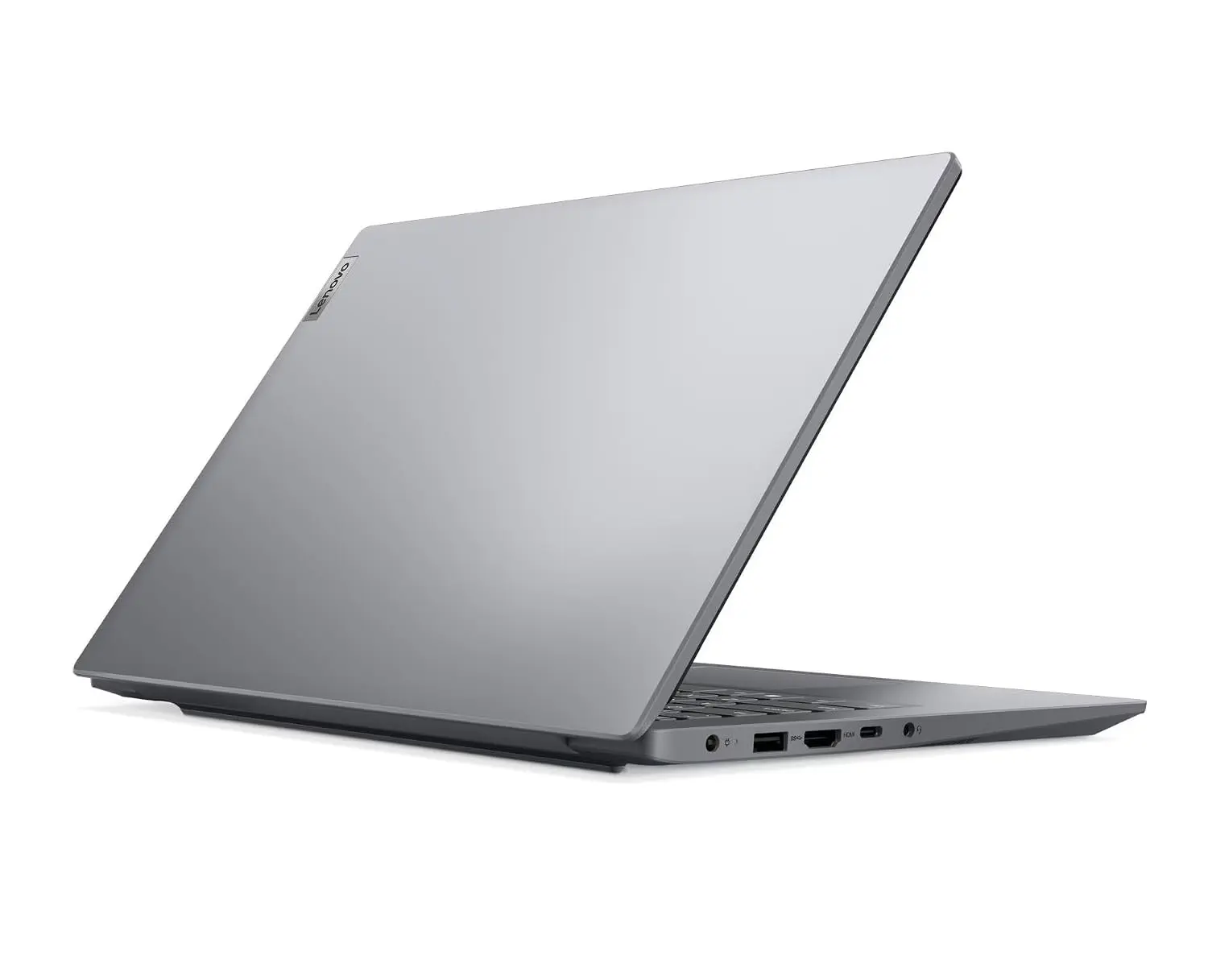
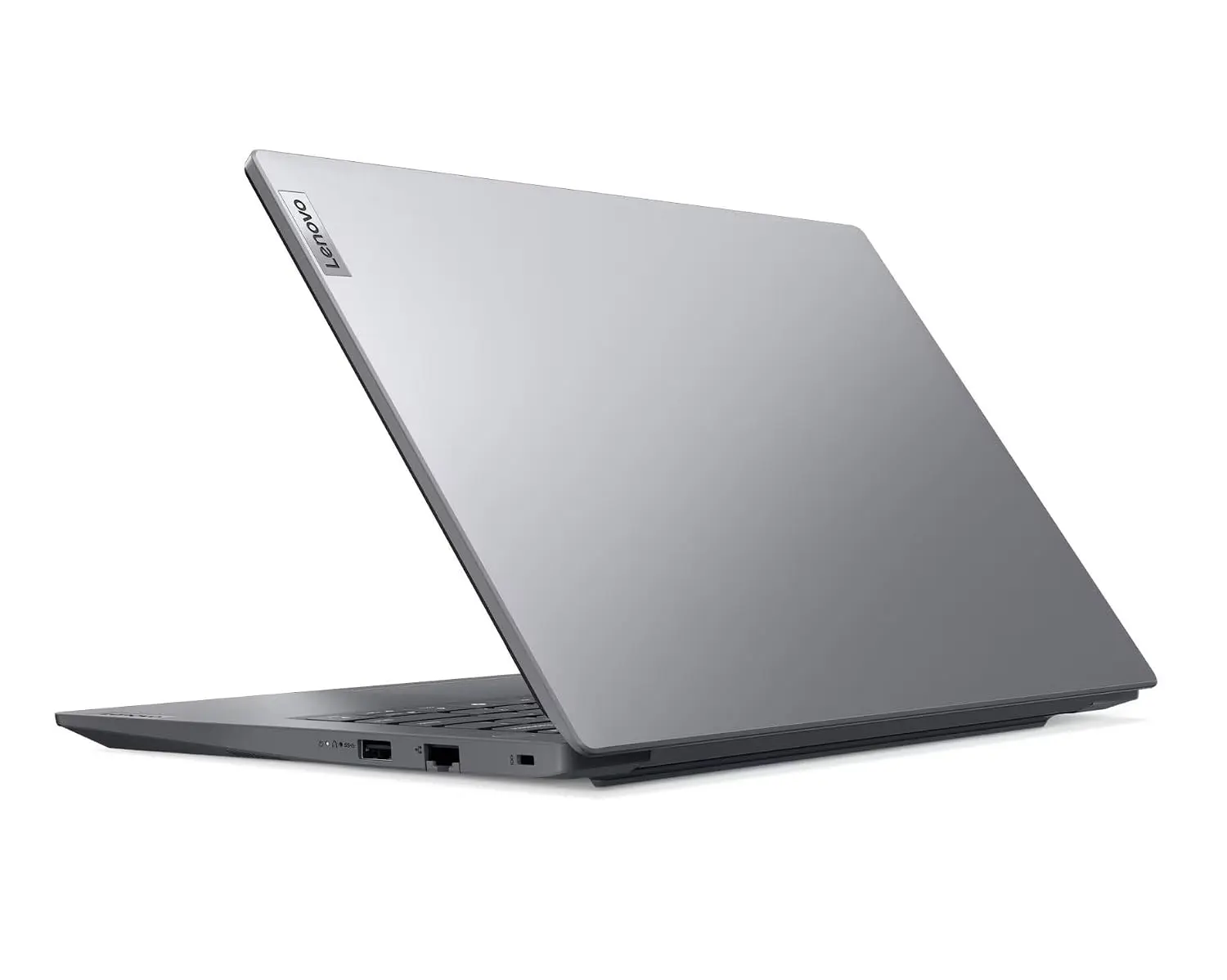
Additionally, it features a premium design, making it an excellent choice for coding. Although its chassis resembles metal, it is not actually made of metal; it is equipped with three USB ports and an HDMI port. Furthermore, its built-in speakers deliver good audio output when playing music.
Specifications |
|
|---|---|
| Brand | Lenovo |
| Display Size | 14-inch |
| Screen Resolution | (1920 x 1080) Pixel |
| Screen Type | FHD Display, 250 nits, NTSC 45%, |
| Processor | Intel Core i5-13420H |
| Processor Speed | 4.6 GHz (Boost Speed) |
| RAM Size | 8GB DDR5 (Expandable up to 32GB) |
| Storage | 512GB SSD (Expandable up to 1TB) |
| Graphics | Integrated Intel UHD graphics |
| Special Feature | Ms Office |
| OS | Windows 11 Pro |
| Battery Life | 6 Hours |
| Weight | 1.4 Kg |
| Warranty | 1 Year |
Why Should It You Buy
The biggest advantage of this laptop is its processor; it features Intel’s latest 13th Gen i5 H-Series chip, which ensures robust performance. Note that it comes with 8GB of RAM; if you upgrade the RAM in the future, the laptop will deliver even more powerful performance. You can handle various development-related tasks on this machine—such as web development, data analysis, or database management—but if you plan to use it for Android Studio, you should definitely upgrade the RAM.
Best For This Laptop
- 15.6 inch FHD IPS Display
- AMD Ryzen 7 7730U Processor
- 16GB RAM
- 512GB SSD
- AMD Radeon Graphics
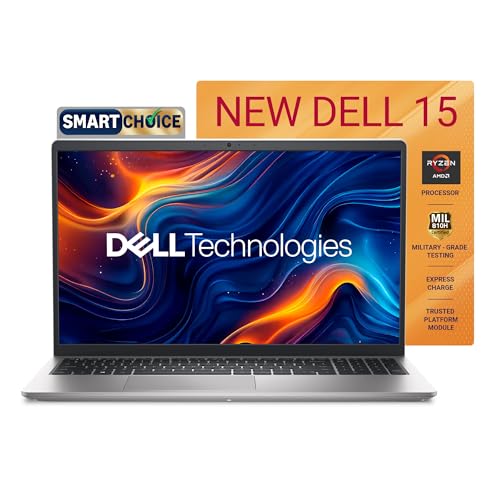
The Dell 15 Ryzen 7 7730U is a good and reliable laptop. A friend of mine bought it just 5–6 months ago, and it is still performing excellently without any issues. It features the AMD Ryzen 7 7730U processor, which comes with 8 cores and a boost speed of up to 4.50 GHz.
It comes with 16GB of DDR4 RAM and a 512GB SSD. This combination is quite useful for tasks such as programming, web development, Android development, browsing, MS Office, and multitasking.
This laptop features a 15.6-inch Full HD WVA IPS display with a 120Hz refresh rate and 250 nits of brightness. Thanks to the 120Hz refresh rate, scrolling and general screen movement may feel smoother.
In terms of software, this laptop is even more convenient. It comes with Windows 11 Home OS pre-installed and includes Microsoft Office Home and Student 2024. Additionally, it offers a 12-month subscription to McAfee Multi-Device Security.
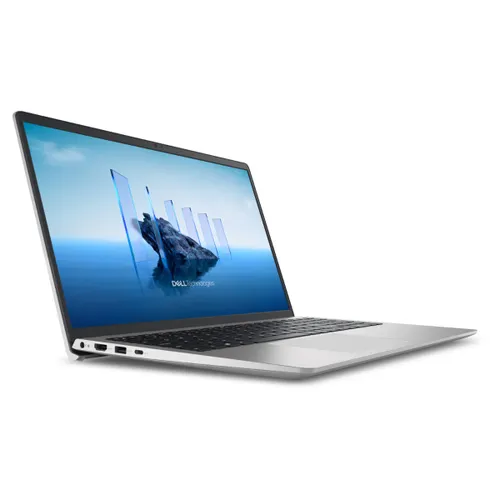
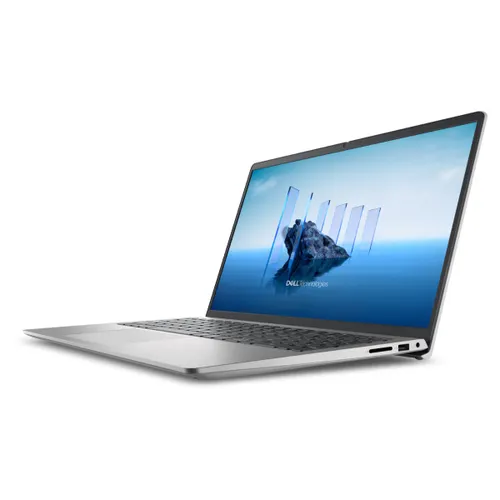
For connectivity, it features ports such as USB Type-C, USB Type-A, USB 2.0, HDMI, an SD card slot, and a headset jack. This makes it easy to connect external devices and accessories.
For graphics, it comes with integrated AMD Radeon Graphics. This is suitable for routine daily tasks, multimedia, and light graphics-related work; however, if your primary goal is heavy gaming or GPU-intensive tasks, a laptop with dedicated graphics would be a better choice.
Currently, this laptop holds a rating of 3.5/5 stars on Amazon. User experiences have been mixed; some buyers have found it suitable for school, college, and general tasks and have also appreciated the file transfer speed.
Additionally, this laptop features a 720p camera and a 41Wh 3-cell lithium battery that provides at least 5 hours of backup on a single charge. It comes with a one-year warranty and weighs just 1.64 kg, making it thin and lightweight; the keyboard is also quite good.
Specifications |
|
|---|---|
| Brand | Dell |
| Display Size | 15.6-inch |
| Screen Resolution | (1920 x 1080) Pixel |
| Screen Type | FHD display, 120 Hz Refresh Rate, 250 nits |
| Processor | AMD Ryzen 7 7330U |
| Processor Speed | 4.5 GHz (Boost Speed), 8 Cores |
| RAM Size | 16GB DDR4 |
| Storage | 512GB SSD |
| Graphics | Integrated AMD Radeon graphics |
| Special Feature | Ms Office |
| OS | Windows 11 Home |
| Battery Life | 5 Hours |
| Weight | 1.6 Kg |
| Warranty | 1 Year |
Why Should It You Buy
If you’re looking for a laptop that can easily handle daily coding and office tasks, you should definitely check out the Dell 15. The combination of the Ryzen 7 7730U processor, 16GB of RAM, and a 512GB SSD is highly effective. Plus, it comes with a 120Hz Full HD display, Windows 11, and Microsoft Office 2024, meaning everything essential for productivity is ready to go right out of the box.
Best for This Laptop
- 15.6 inch FHD Display
- AMD Ryzen 5 7520U Processor
- 16GB RAM
- 512GB SSD
- AMD Radeon Graphics
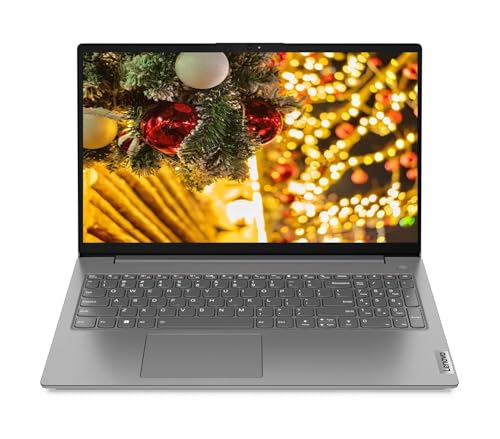
If you are looking to buy a good and reliable Lenovo laptop for programming within the ₹60,000 price range, the Lenovo V15 G4 could be an excellent option for you. It features a Ryzen 5 7520U processor, 16GB of DDR5 RAM (clocked at 5500MHz), and a 512GB SSD, all of which significantly enhance its performance.
I have personally used this laptop for coding. I did not face any major issues while working with programming languages like Java, Kotlin, C, C++, and Python. I have also used Android Studio and other development tools on it for Android development.
Apart from programming, I also ran SQL, MS Excel, and other data analysis tools on this laptop, and the experience was excellent. Thanks to the 16GB DDR5 RAM, multitasking is smooth when running a coding IDE, browser, Excel, SQL tools, and other applications simultaneously.
It features a 15.6-inch Full HD display, making it highly suitable for coding, documentation, browsing, and office work. It also comes with a 720p HD camera that includes a privacy shutter feature.
The laptop features a thin and lightweight design, making it easy to carry for daily office, college, or work use. It also comes with Dolby Audio, providing an enhanced audio experience during routine video viewing and online meetings.
Another advantage is that the Lenovo V15 G4 is available in various configurations. It comes in both DOS and Windows variants, with the operating system being the primary difference between them. The DOS variant does not come with Windows pre-installed, whereas the Windows variant does; consequently, the Windows model is slightly more expensive. If you are capable of installing Windows yourself and wish to keep the laptop’s cost down, the DOS variant could be a good option.
In terms of user feedback, the V15 G4 series has received a generally positive response, with various models boasting ratings of around 4+ stars. Users have generally appreciated its performance, 16GB RAM, SSD storage, and suitability for everyday multitasking. However, due to its integrated graphics, it is not designed for heavy gaming or highly GPU-intensive tasks.
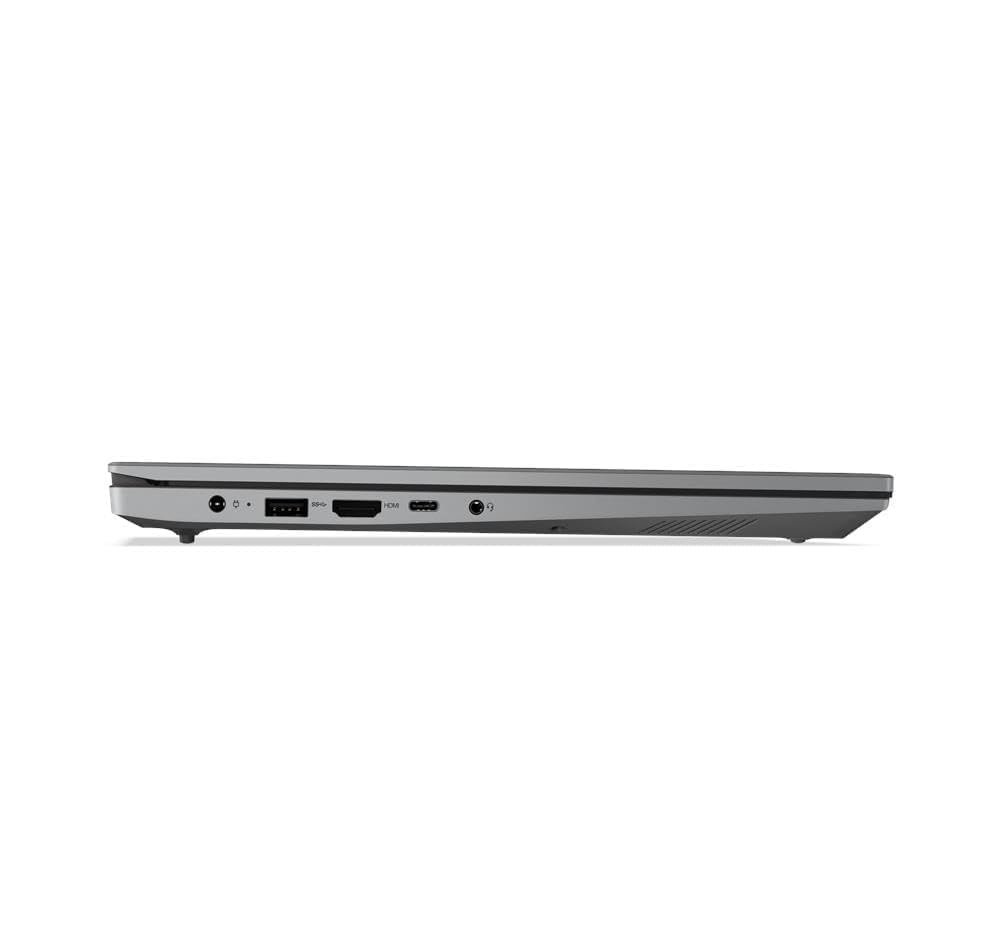
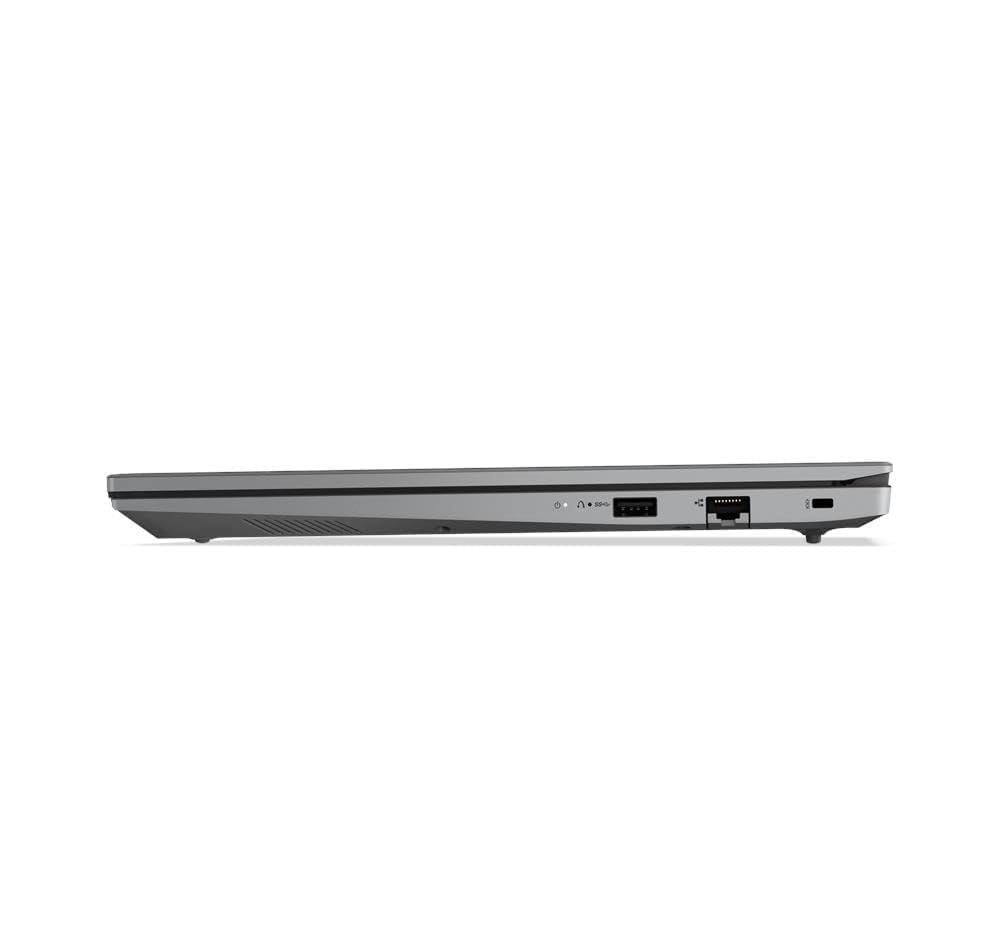
Additionally, it includes 3 USB ports, 1 DisplayPort, 1 HDMI port, 1 RJ-45 port, and a headphone jack for connecting extra devices. The laptop also features a 41-watt lithium battery capable of providing at least 4 hours of battery backup on a single charge.
Specifications |
|
|---|---|
| Brand | Lenovo |
| Display Size | 15.6-inch |
| Screen Resolution | (1920 x 1080) Pixel |
| Screen Type | FHD Display, 250 nits, NTSC 45%, |
| Processor | AMD Ryzen 5 7520U |
| Processor Speed | 4.3 GHz (Boost Speed), 4 Cores |
| RAM Size | 16GB DDR5 |
| Storage | 512GB SSD (Expandable up to 1TB) |
| Graphics | Integrated Intel UHD graphics |
| Special Feature | Ms Office |
| OS | DOS |
| Battery Life | 5 Hours |
| Weight | 1.7 Kg |
| Warranty | 1 Year |
Why Should It You Buy
The key reasons to buy this laptop are its AMD Ryzen 5 7520U processor, 16GB DDR5 RAM (with a 5500MHz clock speed), and 512GB SSD. This combination can easily handle tasks such as programming, web development, SQL, and Excel. Additionally, it is an excellent laptop for digital marketing and productivity-related work.
Best for This Laptop
- 15.6 inch FHD Display
- AMD Ryzen 5 7520U Processor
- 16GB RAM
- 512GB SSD
- AMD Radeon Graphics
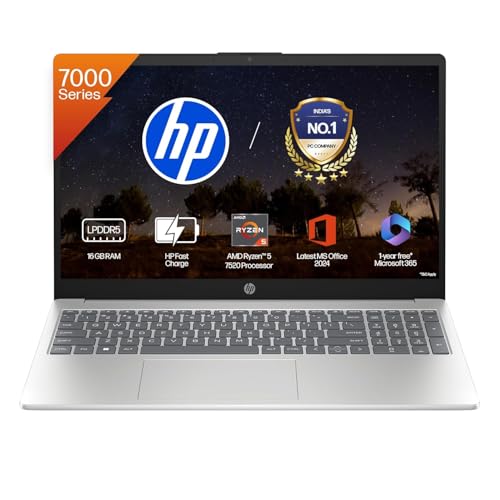
From college to the coding desk, the HP 15 Ryzen 5 7520U is a laptop suitable for both academics and programming. Its configuration—featuring 16GB of DDR5 RAM and a 512GB SSD—is highly practical for students. This HP model is particularly worth considering if you are looking for a single machine under ₹60,000 to handle coding, programming, assignments, and daily college tasks.
It comes with an AMD Ryzen 5 7520U processor, which is suitable for practicing programming languages like Java, Python, C, C++, and Kotlin, and for running development tools such as VS Code and Android Studio.
The 15.6-inch Full HD anti-glare micro-edge display offers comfortable viewing for coding, online classes, and assignments, while the backlit keyboard proves very useful for coding or studying at night.
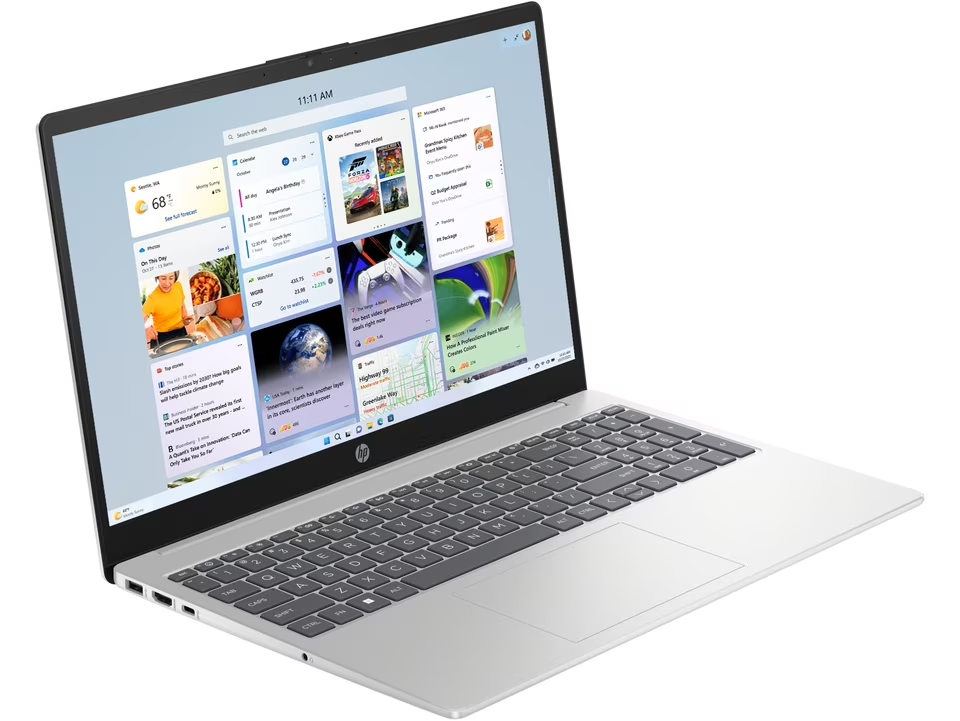
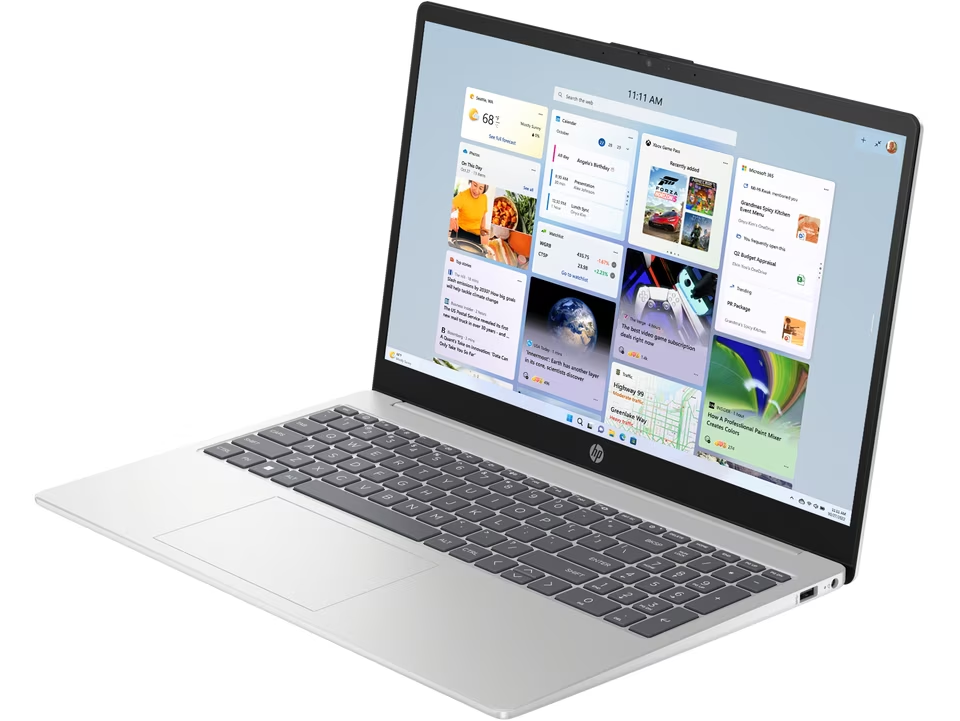
It weighs approximately 1.59 kg, making it relatively easy for college students to carry around daily. The silver finish gives it a simple, professional look. The 1080p FHD camera is useful for online classes and video meetings, while the fast-charging support comes in handy when you need to charge the laptop quickly and resume work.
Windows 11 and Office 21 come pre-installed, so there is no need to separately set up the operating system and basic office software.
It comes with AMD Radeon integrated graphics. While this is suitable for routine study, programming, entertainment, and everyday tasks, a laptop with a dedicated GPU would be a better choice for heavy gaming or graphics-intensive work.
if you intend to engage in gaming or heavy graphics-intensive work, a heavy gaming laptop might be a better choice.
Specifications |
|
|---|---|
| Brand | HP |
| Display Size | 15.6-inch |
| Screen Resolution | (1920 x 1080) Pixel |
| Screen Type | FHD Display, 250 nits, NTSC 45%, |
| Processor | AMD Ryzen 5 7520U |
| Processor Speed | 4.4 GHz (Boost Speed) |
| RAM Size | 16GB DDR5 |
| Storage | 512GB SSD |
| Graphics | Integrated Intel UHD graphics |
| Special Feature | Backlit Keyboard, Ms Office |
| OS | Windows 11 Home |
| Battery Life | 6 Hours |
| Weight | 1.5 Kg |
| Warranty | 1 Year |
Why Should It You Buy
Fast charging and a 1080p FHD camera make it useful for online classes, meetings, and video calls. You can easily practice coding languages like HTML, CSS, Java, and Python on it. Additionally, data analysis tools such as Excel, SQL, and Power BI can also be used. The 16GB RAM and 512GB SSD make it a practical choice for college students and daily productivity tasks.
Best for This Laptop
If you want to buy the best HP laptop for yourself and have a limited budget, you can check out excellent HP laptops priced under ₹50,000.
FAQ
If your budget is slightly higher, you can check out these excellent laptops priced under ₹65,000. They will also deliver good performance.
Conclusion
Choose from the Acer Aspire Lite i5-12450H, Lenovo 14 i5-13420H, or Dell 15 Ryzen 7 7730U for tasks like software development, Android development, and data analysis; if you only need to do standard coding, opt for the Lenovo V15 G4 Ryzen 5 7520U or HP 15 Ryzen 5 7520U.
These laptops won’t disappoint you when it comes to general editing and other tasks either, so you can confidently pick any of them based on your specific requirements.
I hope you liked this list of the 5 best programming laptops under Rs 60K. If you have any questions related to this post, comment below and share this blog post with your friends. So that they can also get help choosing a your laptop for themselves within this budget range.

My name is Sonu Kumar, and I update new posts related to the best laptops and digital marketing on this website every day. I hope you liked the post written by me.